Every business, from a small bakery to a growing agency, depends on how quickly it can turn finished work into paid invoices. Mobile invoicing closes the gap between doing the job and billing for it, freeing up hours that once went to paperwork and back-office catch-up.
For home service providers, that speed matters even more because the work happens on the road, not behind a desk. That’s why mobile invoicing for contractors is fast becoming the standard, replacing cluttered filing cabinets and late-night admin with a phone that handles it all on the go.
Below, we answer 3 key questions: what contractors can handle from their phones, which risks to watch out for, and how to keep mobile admin from becoming overwhelming. Read on to see how a few smart changes can protect your bottom line.
How to Build a Simple Contractor Invoicing System and Get Paid Faster
Source: Pexels.
Contractors are Making Their Services Profitable through Mobile Admin
Mobile phones are an integral field tool contractors use to communicate and share ideas with teams, manage projects, and access data on the go.
They use their phones to capture photos and documents, track and maintain basic records between projects, send invoices, and check payments. They no longer have to worry about cabinets full of paper invoices, landlines that ring while on the road, and a calendar with scribbled appointments.
The phone in your hand or pocket replaces all these, and you can always do better. Your phone can be your main office, your sales team, and your filing system all at once.
Running operations through a mobile-first setup is not a compromise; it’s an inevitable advantage. However, contractors must understand the convenience and potential challenges of mobile admin.
Source: Pexels.
Here are questions and answers to spur your decisions:
Q1: What Admin Tasks Do Contractors Typically Handle from Their Phones During the Day?
Whether you’re an electrician, plumber, cleaner or home pest control service provider, your phone is a reliable field tool that helps you perform a variety of tasks. They can manage and document projects and immediately connect crew members, vendors, supervisors, and target customers.
Contractors also find it easy to review work, check new job requests, and troubleshoot issues remotely. It enables real-time reporting, allowing teams to send instant photos and video updates.
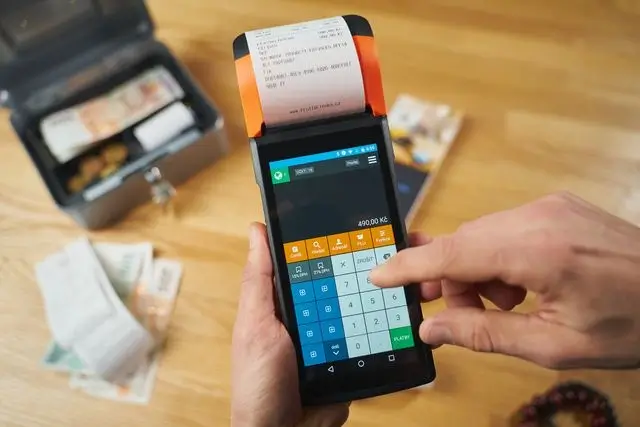
Mobile invoicing is the trend, and contractors can create and send invoices and quick estimates within set deadlines.
You have a small admin hub you can travel with, but you must ensure it's compatible with invoice templates and guarantees secure data storage.
What Are the Main Risks of Running All Admin from a Phone?
Source: Pexels.
Running your home service business from a phone is highly convenient, but there are vulnerabilities to consider.
The main challenges of relying on your smartphone include data loss, backup failures, severe security breaches, and a single point of failure.
A broken or stolen phone means losing invoices, client details, and receipts, and being entirely locked out of the day’s operations.
Handling complex contracts, cross-referencing financial data, or managing large spreadsheets on a phone is highly error-prone. However, with top-notch tools that sync data to the cloud, setting timely schedules for admin tasks and well-structured data storage can eliminate these woes.
Invoice Fly is an incredible tool for contractors to invest in, and it’s built to keep invoices and client data secure and accessible.
How Can a Contractor Make Mobile Admin Feel Less Overwhelming?
Source: Pexels.
It starts by establishing strict boundaries and routines. You don’t have to respond to every message or email, but batch your admin tasks.
Choose windows appropriate for taking calls or checking emails, either early morning, afternoon, or in the evening.
Further, build consistent invoice templates or systems for storing data or documents to reduce unnecessary workload.
Conclusion
Source: Pexels.
Every admin task you handle on time keeps your customers happy and your business profitable. Your phone has become one of the most practical tools for making that happen, whether you’re between jobs or waiting at a supply store.
Mobile invoicing for contractors lets you capture orders on the spot, send estimates before the client forgets, and track payments without waiting until evening. Fewer delays mean fewer errors, and fewer errors mean more money staying where it belongs.
Still, a phone-based setup is only as strong as the system behind it. Cloud syncing, secure data storage, and consistent invoice templates protect you from a lost device turning into a lost day of work.
Pair the right tools with simple routines, like batching admin into set windows, and mobile admin stops feeling like a second job. You’ll stay responsive and professional without letting paperwork eat into your evenings.
Ready to turn your phone into a reliable back office? Try Invoice Fly today and start sending polished invoices straight from the job site.
Disclaimer:
This post may contain affiliate links. I receive a small commission at no cost to you when you make a purchase using my link.