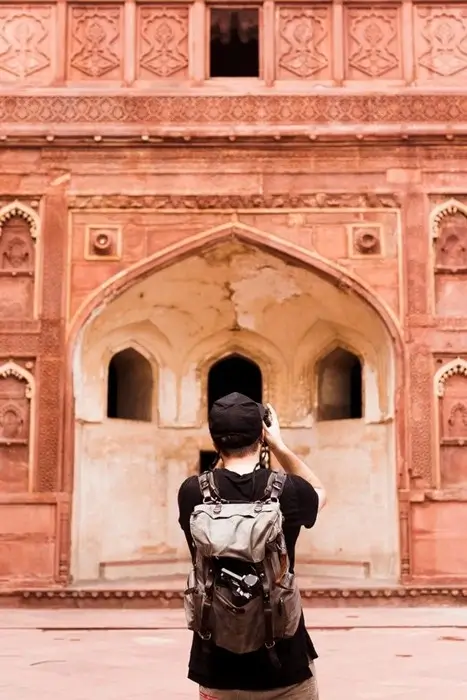
Your camera roll is probably full of incredible travel moments—but if they're buried in your phone, they're not doing much for you.
Learning how to edit travel photos doesn't have to be complicated, and it definitely shouldn't interrupt your adventures.
With a few simple habits, you can organize, enhance, and share your favorite travel memories right from your phone—no professional equipment or advanced skills required.
In this guide, you'll discover five easy editing tips that cover everything from choosing your best shots to creating collages and visual travel journals. Each one is designed to fit into your trip, not take time away from it.
By the end, you'll have a collection of memories worth revisiting—long after the journey ends.
5 Simple Photo Editing Tips to Make Your Travel Photos Look Amazing
Source: Pexels.
1. Choose Your Best Travel Photos Before Editing
Taking hundreds of pictures during a trip is easy. Deciding which ones are worth sharing is often more challenging.
Instead of waiting until you return home, spend a few minutes reviewing your photos at the end of each day.
Start by looking for pictures that capture the character of the destination. These could include a beautiful landscape, an interesting street, a memorable meal, or an unexpected encounter with locals. You should also keep a few candid pictures that show what the experience actually felt like.
Avoid selecting several nearly identical photographs. Choose the strongest image from each moment and remove accidental shots or pictures that are too blurry to use.
Creating separate albums for each destination or day can also make organizing your photos easier. This way, you will spend less time searching through your camera roll when you want to share something.
Start with brightness and exposure. A photograph taken inside a dim restaurant might need more light, while a picture taken under strong midday sunshine may require reduced highlights.
Next, adjust contrast to make important details stand out. You can also experiment with saturation and warmth to bring out the colors of a sunset, tropical beach, or colorful local market.
Crop and straighten your pictures
Cropping is another simple way to improve a photograph. Remove distracting objects around the edges and position the main subject where it attracts attention.
If you photographed a beautiful coastline or city skyline, straighten the horizon before sharing it. Small adjustments can make an ordinary photograph look considerably more polished.
For more control, mobile editing applications such as Adobe Lightroom offer additional adjustment tools. These are particularly useful when working with photographs taken in challenging lighting conditions.
3. Turn Your Travel Photos into Collages and Stories
Source: Pexels.
Sometimes, one photograph cannot capture everything that made a particular day memorable.
A collection of pictures can tell a more complete story. For example, a day exploring Bangkok could include photographs of a temple, street food, a busy market and the city's evening skyline. Instead of publishing four separate posts, you could arrange them into a single collage.
A photo editor app such as PicCollage can help with this. It offers editable templates, layouts, stickers, and fonts that allow travelers to combine several photographs into one design.
You can choose a travel-themed template, import pictures directly from your phone, and arrange them to create a visual summary of your day. Adding a destination name or a short caption can make the finished collage feel more personal.
4. Use Travel Downtime to Edit Your Pictures
Editing photographs does not have to take time away from sightseeing. You can use the quieter moments of your journey to organize and prepare your pictures.
A train journey, airport waiting period, or relaxed afternoon in a café can provide an opportunity to review your camera roll. You could select your favorite photographs, make basic adjustments and prepare a collage to share later.
5. Create a Visual Travel Journal
Source: Pexels.
Social media posts are useful for sharing experiences, but a visual travel journal gives you something more personal to revisit.
Consider creating one collage for each day or major destination. Include a few photographs, the date, the location and a short description of something memorable.
You could also record small details that photographs cannot communicate, such as the name of a restaurant you enjoyed or an interesting conversation with someone you met.
Conclusion
Source: Pexels.
Editing your travel photos doesn't have to feel like another chore on your itinerary.
With a few minutes here and there—on a train, at the airport, or over a quiet coffee—you can turn a messy camera roll into a collection you're excited to share.
The five tips in this guide are meant to work with your trip, not against it. From picking your best shots each day to making quick adjustments, building collages, and keeping a visual travel journal, travel photo editing becomes a simple habit rather than a big project.
The best part? You're preserving meaningful moments as they happen, not months later when the details start to fade. A little effort now means memories you'll actually revisit.
So before your next adventure—or even tonight—open your camera roll and try just one of these tips. Start small, build the habit, and watch your travel memories come to life.
Disclaimer:
This post may contain affiliate links. I receive a small commission at no cost to you when you make a purchase using my link.